 CourseLit Docs
Website
Rich text block
Rich text block
The rich text block can be used to add text blocks containing things like hyperlinks etc.
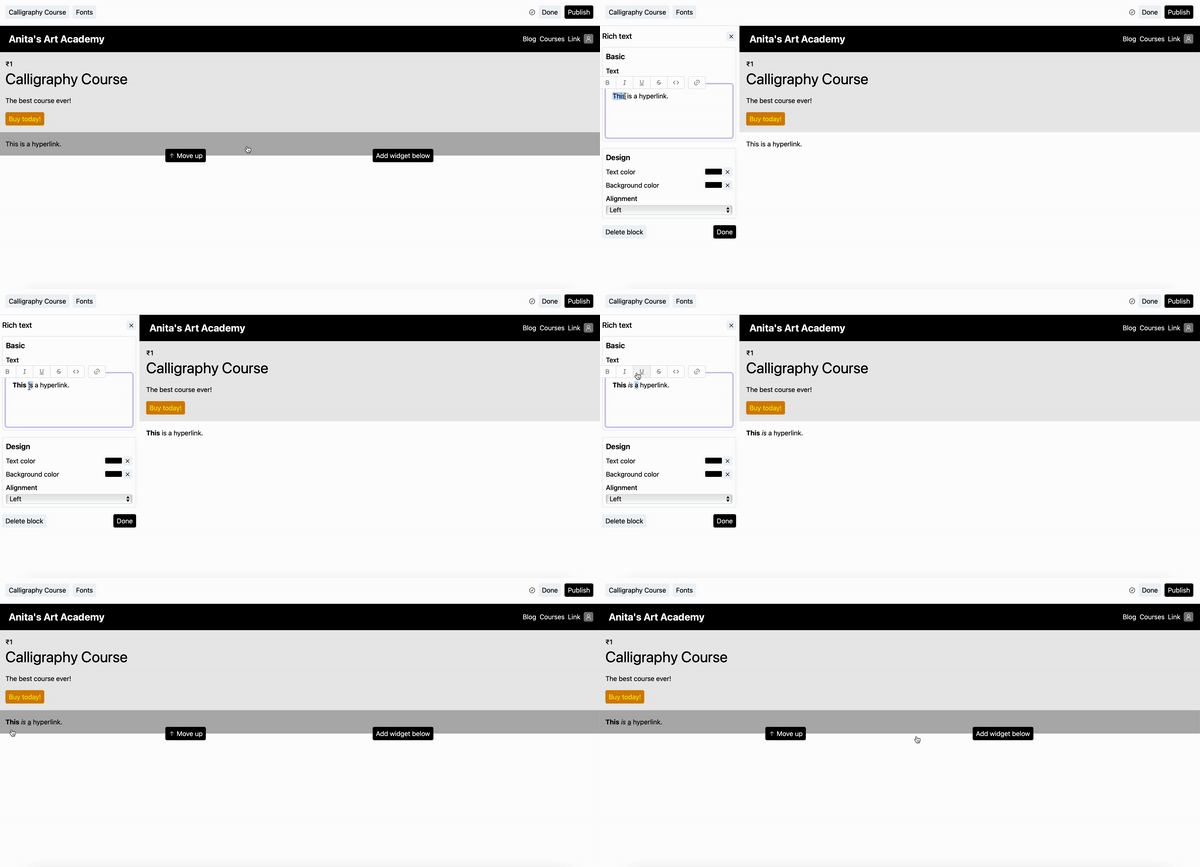
Making text bold/italic/underline
- Select the text.
- To make the selected text bold, press Ctrl+B, to make it italic, press Ctrl+I and for underline, press Ctrl+U.
You can also use the floating controls to do the same as shown below.
Creating hyperlinks
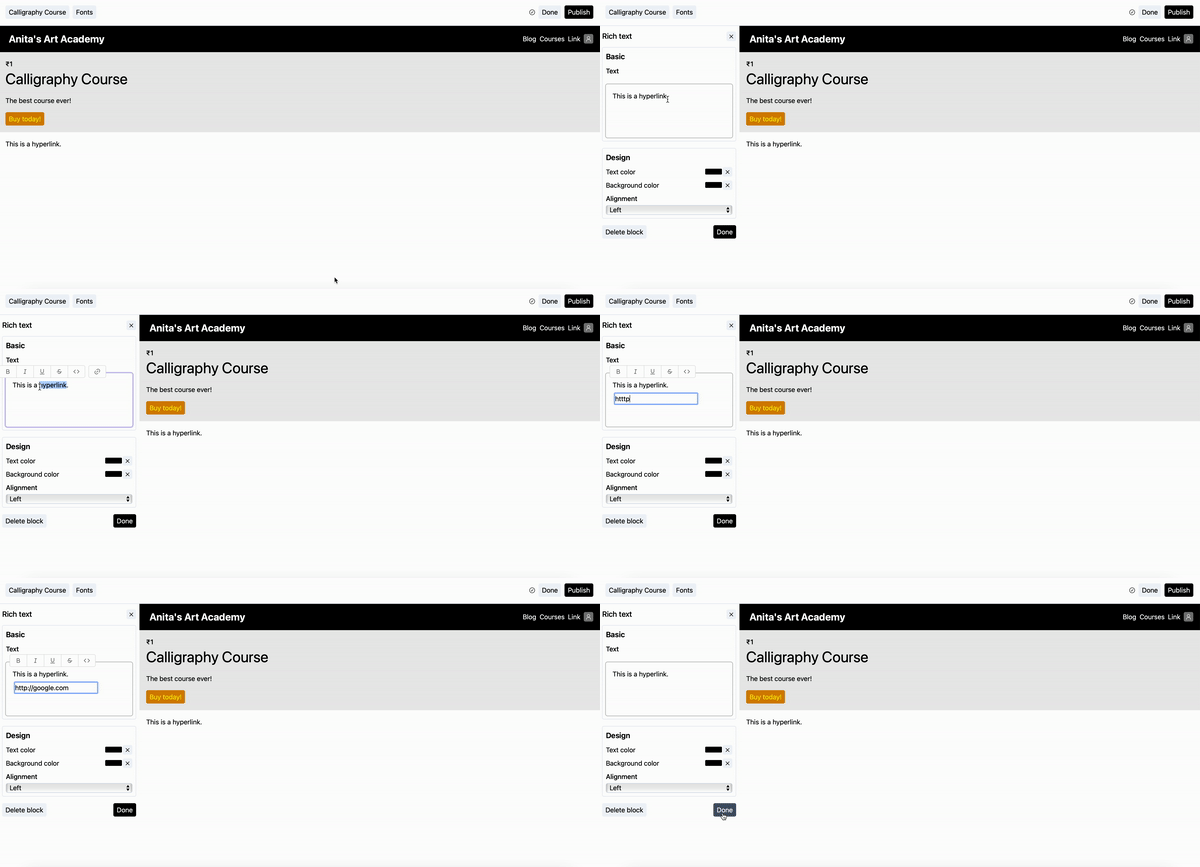
- Select the text.
Double clicking the text to select won't work due to a bug. We are working on it.
- Click on the floating
linkbutton to reveal a popup text input. - In the pop up text input, enter the URL as shown below.
Stuck somewhere?
We are always here for you. Come chat with us in our Discord channel or send a tweet at @CourseLit.